
Man, you are already doing all the prep work as a GM, and now you have to worry about creating and organizing a whole server for your games, too?
Don’t worry, fellow GM, we feel you on that one. To that end, this guide will offer you a very quick setup solution that will get you going in 10 minutes, and then we will dive deep into some topics and questions you might have to elaborate on what you can do with all this mess. (Who knows, we might even get you excited about the whole thing and you won’t notice before you end up with dozens of channels for everything.)
Credit for the ideas discussed in this article goes to Graves! But if you disagree with anything, though, blame Mila, who put together this whole thing about it after.
Quickstart: Set Up Your Server in 10–15 Minutes
If you just want the essentials, here’s your minimal setup:
- Create a new server and give it a clear name.
- Set up the following channels:
- # general – off-topic chatter and announcements.
- # dice – bot dice rolls.
- (voice) # general – where you are going to hold your sessions.
- (voice) # whispers – optional, for secret GM-to-player scenes during a session.
- # schedule – scheduling sessions (see #4).
- # reference – quoted core rules, frequently used tables, house rules, critical lore excerpts.
- # in-character – a bit less important, but useful: for roleplay during or between sessions.
- # memes – optional, but yes, you do want it. Offers entertainment and encourages internal jokes.
- Add a dice bot suited for your system. We recommend Dice Maiden as the default. Many modern games have official or fan-made bots (Avrae for D&D, D1-C3 for Fantasy Flight Games, Savage Bot for Savage Worlds, etc.).
- Add Apollo for automated scheduling.
And that’s it! You’re ready to go. Don’t worry about missing some important channel: they are very quick to add, and you will know what you want tacked on by the end of the first or second play session.
Yet, if you are ready for a deeper dive, that’s what the rest of this guide is about! Don’t let the volume of information scare you: you can scroll down to any topic that interests you and skip through the rest.
FAQs: Organizing Your Discord Server
What should I prioritize when setting up the server?
Set up every channel before you put anything in them. It’s easier to drop in content later than to reorganize chaos. To help yourself and your players, drop in a “starter” message that explains what a certain channel is for.
Welcome to the #in-character channel! Please only post messages from the POV of your character in here. Use cases: (1) During the session, when there is a lot happening, but you need to make sure your character communicates something, and (2) in between sessions, when there is an opportunity and initiative to have a chat between characters — please create a thread!
At the very least, have a channel for text messages (like #general), have one for the voice session (#general — voice), and maybe something to reference the rules. It would be wise to have a dedicated channel for die rolls (like #dice) also. If you genuinely aren’t sure what else you might need, just play a session and create channels as you go.
We will mention some interesting channel suggestions with you in some of the sections below, if you wanted some ideas.
Do I need Bots?
Yes — for die rolls, at minimum.
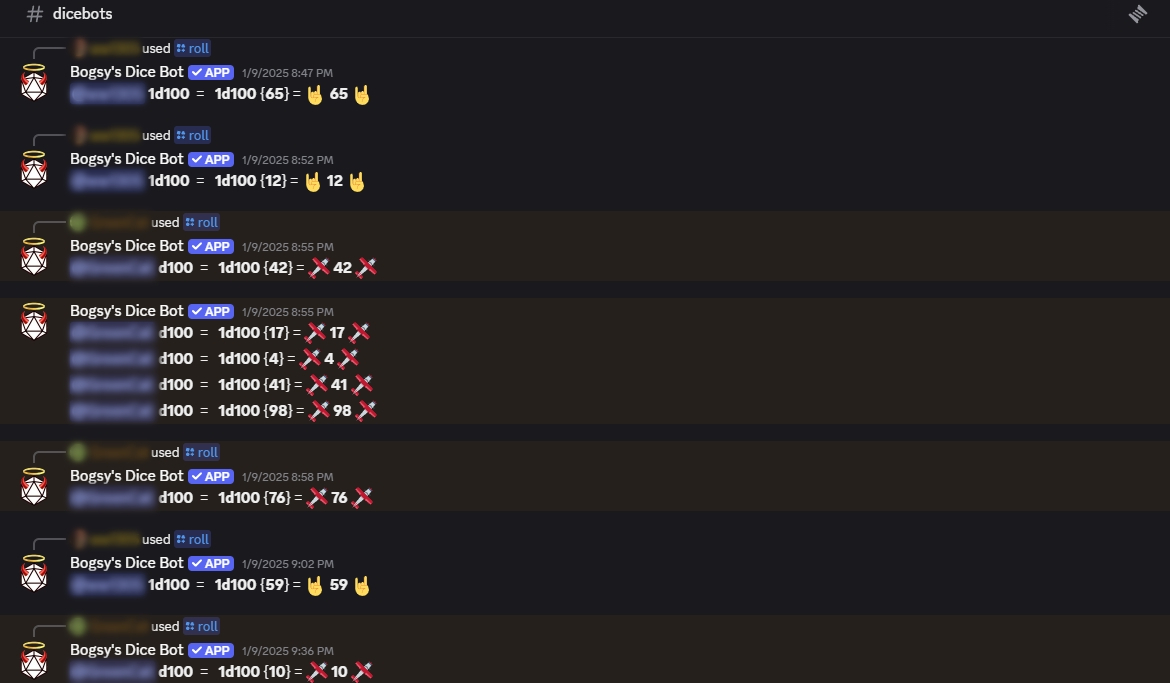
We recommend Dice Maiden as the default die bot. Many modern games have official or fan-made bots (Avrae for D&D, D1-C3 for Fantasy Flight Games, Savage Bot for Savage Worlds, etc.) Bogsy’s Dice Bot is another popular versatile option.
Apollo is excellent for scheduling — it’s lightweight and pretty simple to set up. If you don’t want to mess with it, another option is to add timestamps to your messages that translate to the timezone of the user viewing it. Set up a time in HammerTime, for example, and copy one of the <codes> into your message.
Of course, who are we to tell you what to do. Roll with what you know the best!
Should I share the game’s Rulebook?
It’s usually fine to share a core rules PDF with your private playgroup. Check the publisher’s rules just to be safe (should be listed on the copyrighted page), but many modern TTRPGs tend to be permissive for private use.
Hey folks. The author specifically permits to share the material with a small group of friends, but please don’t accidentally share the file around. Goes without saying, but if you like the system and want to run it, please purchase your own copy! With that being said, here is the Core Rulebook for the system…
That being said, if you don’t know all of your players very well, or are uncomfortable with the idea of uploading a file, posting relevant snippets in the #reference channel is a practical workaround. For D&D, you can link or share the full Basic Rules and then quote relevant bits from other material as needed.
What about Roles & Permissions?
You don’t need to alter a lot of permissions — Discord does a fair job with the defaults. Though, it’s a good idea to not give out any mod or ban permissions for @everyone group, unless you truly trust your group and don’t mind.
You probably don’t need to mess with roles much either. If you want to keep track of who is who, just have each player edit their Per-server Profile (they can right-click on their name or avatar to do so), listing their username and their character name — in any order, as long as it’s consistent with other players. For example: “Amai Nano (bisquitz09)”.
If factions are important to your campaign, and your players are members of different ones, you could have some fun with it. But, in small player groups, there really is no reason to list out classes, subclasses, occupations, player’s country of origin, if you were a houseplant which one would you be, #tactical-games-are-my-jam… (Or, sure, do it. Why not.)
Now, if you had enough of an enthusiastic response to your campaign suggestion and now you are handling two different player groups on the same server (we recommend you keep both in the same place to save you some sanity), you probably want to assign each player a group role (e.g., “Group A”, “Group B”.) Then, create private channels with access permission for the appropriate group. They can chat in #general, but anything with spoilers for your campaign should probably be kept to their private channels.
What to do with Threads?
Honestly, if you don’t need threads, you don’t need them. You aren’t uncool for not using all of the features offered by the software. But, sometimes there might be a few tables you want to group together in #reference, or you want to chat up your players about the organization their characters are a part of before you start your first session, alongside some faction relationships, backstories, projects — threads are a good way to keep these topics organized for future reference.
Another good use for threads is in #in-character channel for 1-on-1 roleplay your players want to have outside of your regular sessions, or for downtime scenes (think Blades in the Dark).
How do I prevent players from getting lost in channels?
We already mentioned one way of helping your players understand what each channel is for: make the first message a clarification. You could use the built-in “Channel Topic” description for each, but with them showing up at the very top most people will not see them. Just pin that starter message, or post your reference screenshots and disable messaging permissions to keep the channel nice and tidy.
If your server gets a bit bulky (someone got carried away with creating channels for each major location…), or you have multiple groups and lots of moving parts, you can throw together a #start-here or #channel-guide channel to give a quick explanation behind each.
Overall, keep things simple. Going overboard with all these channels is more work for you, and more confusing for your group. Section out channels you want to reference quickly, and those that will be used the most.
Running the Game in Your Discord Server
How do I run combat and use maps without a VTT?
- Share static maps via image posts. That can be its own channel, #maps.
- If you like the idea of VTTs, but don’t want all the extended functionality, try Owlbear Rodeo for simple drag-and-drop maps for collective viewing.
- You can post the link to your room in its own dedicated channel, #owlbear-link, for quick reference at the start of every session.
- If you don’t want to set up anything, but still have a map you would like to annotate during a session, share your screen.
- If you only share a particular window, the stream will pause whenever you minimize it — no chance of an embarrassing peek at your desktop.
- Honestly, if your system allows it, you can also just skip maps. “Theater of the Mind” play can be just as immersive if you describe the scene and everything your players need to know to make an informed decision. Even if you only ever used maps at the table, don’t be afraid to try a game without visual aids.
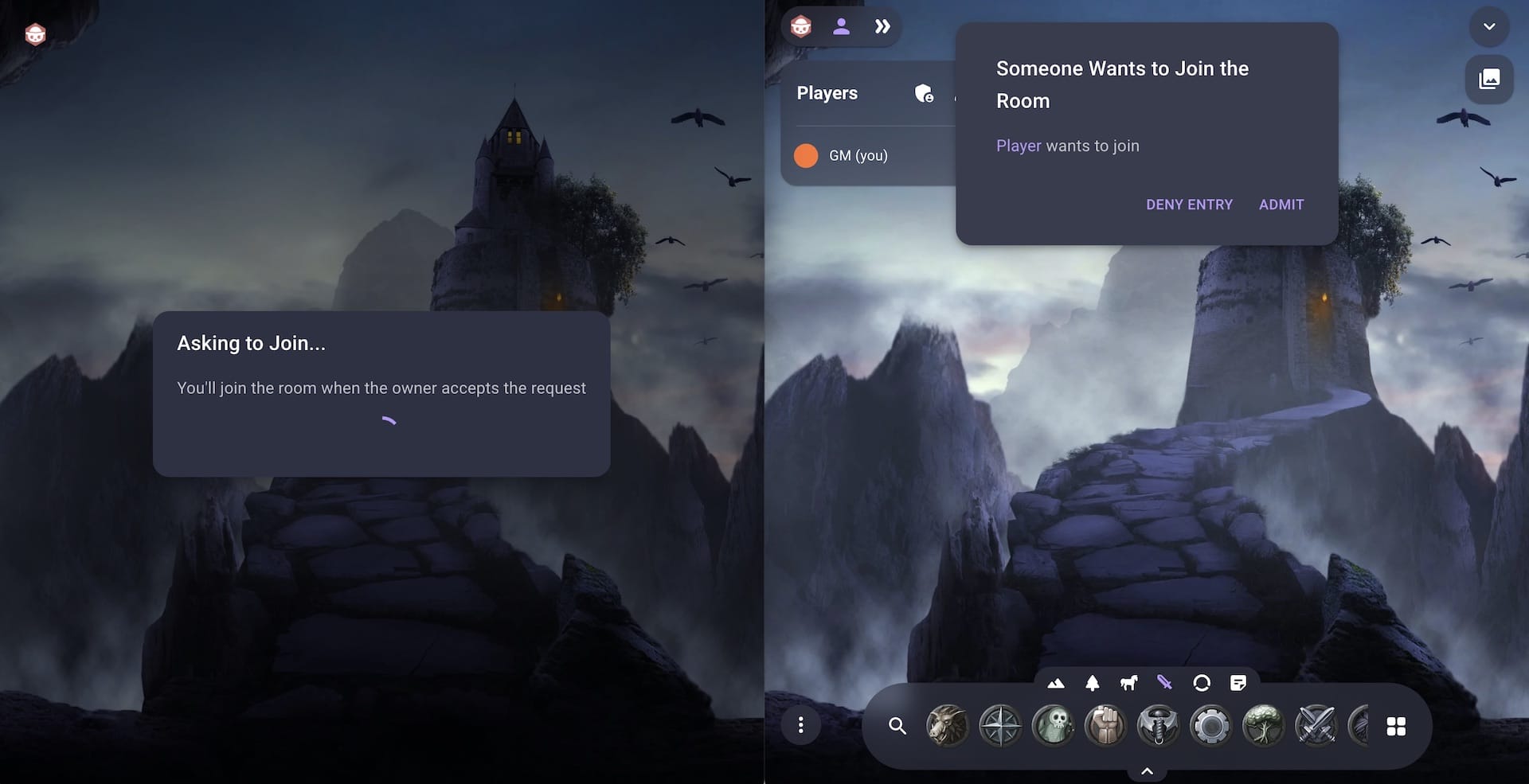

If using a VTT isn’t as much of an issue as just keeping everything in one place — remember that Discord recently introduced a Roll20 interface integration, right in the app. Though, it tends to work best for D&D games.
For everything else we recommend the Foundry VTT, which we have a dedicated guide for: How to Use Foundry VTT for TTRPG Games.
How should I handle character sheets?
Depending on the game and your comfort with the Google Sheet format, you can quickly set a Sheet up on your Google Drive, with players as different tabs in the document, and invite your players via a link posted in #character-sheets to fill in their information. Quite a few TTRPGs out there now offer Google Sheets you can copy to your drive and use in your games. Those particularly savvy can do some real magic with formulas and pretty graphics, but at its basic you can treat one as a glorified notecard.
A familiar classic are fillable PDFs, which you can also keep in the same Google Drive folder. It’s also fine if you just want people to print them out or download them and take pictures/screenshots when leveling up to share on #character-sheets channel.
You are probably also aware of tools like D&D Beyond for D&D (which can also be connected to Avrae), or Pathbuilder for Pathfinder and their full interactive character sheet interfaces. If you choose to use these, you don’t even really need to worry about how to manage character sheets for your players. Check online for yours — more and more web and mobile apps pop up for different TTRPG systems, and you might not even be aware that one already exists for your favorite one.
What about music and sounds?
Yes, a lot of GMs hype up music for sessions, but — and don’t get mad at us here — it’s not for everyone. So, unless all of your players are in agreement, probably don’t have Discord pick up your system’s sound output to just play alongside your voice. Make sure it’s optional for folks who are distracted by it or have difficulty hearing others over it.
In VTTs, this sound functionality and individual settings are built in, but there are also dedicated tools like Kenku (pay-what-you-want), which you can integrate with Discord or just share as a web link. These ones are nice to use when you want to be exactly in control of what is playing — just beware that it adds an additional thing you need to worry about in play.
Speaking of sharing: you can always post a link to YouTube or Spotify — to individual songs or playlists that you feel are a perfect match. You can encourage your music-obsessed players to do the same. Yes, the music will not switch to something dramatic during a combat scene, but your players can curate that experience for themselves, and they won’t be stuck listening to something they do not enjoy.
Ultimately, that one depends on your player group, and it’s up to you if you want to facilitate it.
Safety, Etiquette, and Flow
Should I include rules or a code of conduct?
- In a small game, playing with familiar people, you generally don’t need to worry about rules. If someone is acting a bit off, chat with that friend in private and try to moderate the situation, especially if other players start to express discomfort.
- When playing with a larger or less familiar group, you might need to be proactive. Have a basic list of rules (#rules) where you reinforce friendly behavior and sensitive discussion, and then address metagaming, spoilers, PvP conduct, as it pertains to your particular kind of a game. It can be very simple, but just a reiteration of something you all (hopefully) agree on.
What about content safety?
Generally, a good practice is: be clear about the kind of content that will come up in your game, especially when they are not familiar with you as a GM. If there is something your players are not comfortable with, it’s considerate (and, in some cases, crucial) to give them a space to contact you about it before the campaign starts.
One tool you could try is “Lines & Veils”. There are some good example lists out there, if you wanted to look it up, but the TL;DR of it is — ask your players for their Lines (hard no’s) and Veils (content that can be mentioned, but otherwise faded to black). To make sure nobody feels self-conscious about it, you might want to invite the responses in your DMs. Someone might open up about something quite personal, so make sure you make it a confidential and safe space to share.
Not everyone uses the same tools, and not all groups need to re-establish this information before a game. Above all, you will have a better time, and much better vibes while playing if you make yourself approachable, and always act with understanding.
How should I handle rule discussion and arguments?
Of course, this is primarily a GM question, rather than a server structure question. That being said, some groups do get a bit active with rule discussions, in and out of the session, and you might be tempted to just give these folks their own channel to avoid bogging down other messages.
Yet, it might be an even better idea to have everyone on the same page: populate most crucial rules in your #reference, and if rule interpretation arguments spiral and delay the content of your game, just make the decision on the spot, and make an announcement on the server later. If needed, you can make a general #announcements channel to handle information of this kind.
If you are comfortable tweaking rules, and further collaborate on those with your players, you might even want a dedicated #homebrew-rules channel to list out specific alterations and details.
Final Thoughts: Some Things to Keep in Mind
Other Channel Ideas
If you really do feel like you want even more channels, here are some ideas:
- #quotes – for memorable lines, in-character, or of your players being insufferably fun in general.
- #graveyard – for games where characters die a lot (think Alien), these are for character death logs and epitaphs. Write them yourself, or have your players do it.
- #dramatis-personae – for mystery-heavy games, to help players keep track.
- #handouts – story fragments, in-universe radio announcements and newspaper clippings, bits of lore.
- #sourcebooks/misc-resources – screenshots or files (if a publisher allows it) with alternative fun options for character creation and leveling picks, if you allow those.
- #worldbuilding/bestiary/factions – if you can’t help but share bits and pieces from the world, or involve players when defining certain areas before sessions.
- Game-specific channels – some games have specific mechanics that can be easier to keep track of in their own channels, such as #winter-rolls for Pendragon or #rumors for Call of Cthulhu.
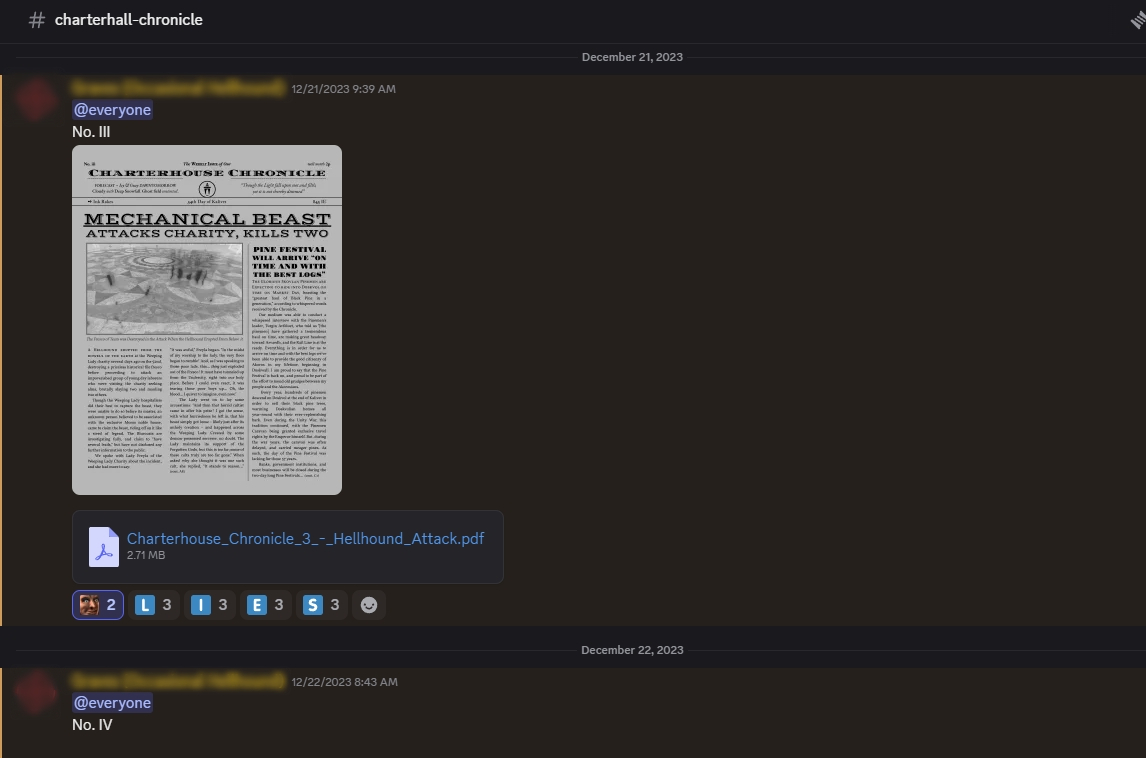
Tailor these to the system, style, and tone of your campaign, and remember that you can always tack them on after you start playing!
Discord Multitasking Limitations
Discord is awesome. Between its base functionality, additional features, and bot integrations it has just about everything you need, except… multitasking. Seriously. It’s as much of a mess for the GM as it is for your players.
Understand that, between all of the chatter going on in the session, in #general, potentially #in-character also, all while you have Owlbear Rodeo running in the browser, next to Google Sheet tab with player characters, and with the need to reference the rule PDF sometimes… there is just no way all of the players will be able to pay attention to everything going on. If anyone gets overwhelmed, just have them prioritize the #dice channel first and occasionally check in on #in-character.
Same goes for the GM. With even more PDFs and tabs open, even a multi-monitor setup won’t address all of your needs. Sometimes a private #gm-channel specifically for you will come very handy during a session, when switching between tabs to reach your note-taking interface is just too much multi-tasking. True, it can get… pretty chaotic. That being said, even if you can’t keep up with the shenanigans in #general, the important thing is your players are having fun.
When Things Aren’t Reliable
We don’t need to remind you that running a game through Discord means running a game online. All the slow internet speed frustrations, equipment acting up, and limitations of virtual play included.
That being said, don’t panic. If a player can listen in, but can’t use their microphone, for example, have them post in #general or #in-character, or even in a dedicated channel like #actions specifically for the purpose of communicating what they are doing. Things happen. All you can do is try to accommodate.
If a die bot goes offline suddenly (and it does happen), you can be ready with a backup: screenshots of rolls via Google search (just input something like “roll d6”), a mobile app, or photos of a physical tray of dice should all work. If anything, it could introduce a bit of chaotic but interesting variation! Maybe it will become an internal joke, you never know.
Just don’t let minor things set you back or stress you out. In a lot of these cases, you can still have a fun session.
We hope you found this deep dive useful! (Even if you stopped reading after the section at the top, thank you for stopping by. We love you.) Have you tried running some games via Discord before? Maybe you tried some of our tips, or mostly stopped by for some inspiration rather than just the basics? In that case, please share with us — what worked? Is there something we didn’t mention in the guide but you have personally found useful?
Let us know your thoughts in the comments below!